
- Please select the card you wish to join
-
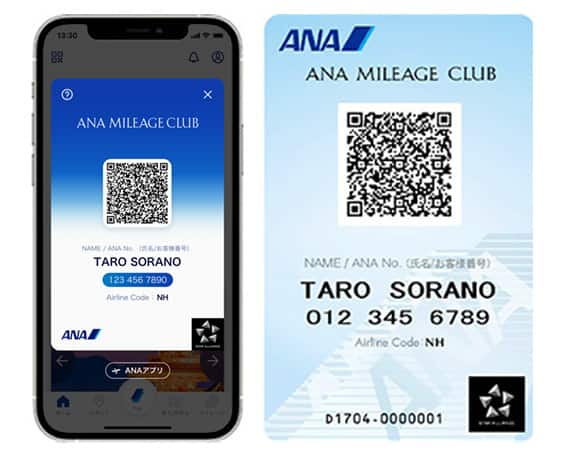
Get your digital card immediately
No enrollment or annual fees
ANA Mileage Club Card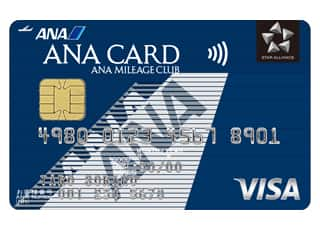
Earn more miles for your money
With credit function
ANA Card
Payment at Convenience Store
Usage Guidelines
1. Booking a Ticket on the ANA Website
After selecting your preferred flight, please select convenience store payment as the payment method for your ticket and then specify the convenience store where you would like to make your payment.
Confirm the reservation details, price and ticket purchasing deadline, and then complete the necessary procedures.
-
Seven-Eleven
After selecting "Seven-Eleven", print out* the payment slip displayed on the screen and bring it to the store, or show the payment slip on your tablet or smartphone screen at the store.
-
-
If a copy cannot be printed out, show the 13-digit payment slip number to the store clerk to make the payment.
Please make a payment at your nearest Seven-Eleven store by the due date printed on the payment slip or displayed on the screen. -
If you are showing your smartphone screen, please present the "payment slip number" at the cashier.
After making the payment, please receive the Internet Shopping Payment Receipt (customer copy).
-
-
LAWSON, MINISTOP, FamilyMart, and Seicomart
Follow the on-screen instructions on the convenience store multimedia terminal on how to print out your application coupon.
After completing the on-screen instructions and obtaining the application coupon, take it to the register and make the payment within 30 minutes of receiving the application coupon.-
*
When making a payment at Seicomart, print out the Barcode and bring it to the register or enter the online payment number (11 digits) you received upon reservation and pay at the register.
-
*
-
Daily Yamazaki or Yamazaki Daily Stores
Your payment number will be displayed on the reservation completion screen, so please print out a copy of this screen.
Enter your payment number on the register screen at the store, and then pay for your ticket in cash.
2. Payment
Usage period
Japan domestic flights: Until 28 hours prior to the departure time
International flights: Until 26 hours prior to the departure time
-
*
Convenience store payment may not be available depending on your reservation.
-
*
The payment deadline will vary depending on your reservation.Please complete the payment by the deadline shown on the screen.
-
*
Please note that reservation and payment deadlines vary depending on the fare type.
3. An "e-Ticket itinerary receipt" will be sent as an e-mail attachment (PDF).
Once your purchase is complete, you will receive "Your e-Ticket Passenger Receipt (Itinerary)." Please make sure you print these out and bring them with you to the airport.
4. Other Information
-
For refunds, please use the ANA Website (only available to ANA Mileage Club Members) or contact the ANA Domestic Reservation and Customer Service Center.
Also, refunds will be subject to Specified processing fees depending on the applicable fare.
Please see the change/refund procedures for details.(In the case of Refund due to voluntary reasons, transfer fees will be charged to the customer.) -
Payments for amounts exceeding JPY 300,000 cannot be processed.
-
If you paid for your ticket at a convenience store, a receipt will be issued as proof of payment.
Receipts compatible with invoicing systems can be issued via the Receipt Web Display Service(Domestic Flights/International Flights).
(If you are unable to display a receipt due to ceretaion conditions, please apply from Receipt Application Form.) -
Payment services will not be available via the ANA website for reservations that are made or changed through ANA by telephone or at a counter.
-
Payments made by someone other than the passenger are also accepted.





Member Login
Information for Members Logging In
- Before proceeding to log in, please be sure to read and accept the section on the purpose of using personal information in the ANA Privacy Policy.
- Points to note when using your AMC account.
Auto-Login with Cookies
- However, you will need to re-enter your password as a form of verification when making reservations, requesting awards, registering/revising personal information, and using other members-only functions.
-
The confirmation screen will reappear after closing all browser windows even if you checked "Do not show this screen again."
Entry of One-Time Password
If you have not received your one-time password
If your one-time password does not come through, please check your settings for receiving it and then re-send it.
If you do not do anything on the screen for a certain amount of time, you will have to request another one-time password.
Select your desired destination email address.
Do you really want to log out?
- If you click "Log Out," you will be logged out even if you have selected "Save Login Status."
- Close all open browser windows if you want to quit your session without logging out.
-
The confirmation screen will reappear after closing all browser windows even if you checked "Do not show this screen again."

ANA Biz is a business travel arrangement service.

-
MILES
-
ANA SKY COINS
-
Premium Point / Point on ANA /
-
Reservations
-
MILES
-
MILES
-
Login
-
Support