


Logging in consists of entering your ANA Number and password on the ANA SKY WEB site. This allows you to access ANA Mileage Club member services such as the following

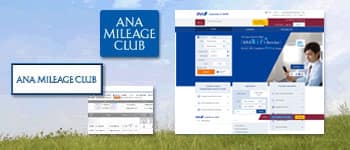
For ANA flight reservations, if you have already registered your name, contact information, sectors, fares, and credit card number, they will be automatically entered so you can easily make reservations and purchasing tickets.
■You will need your ANA Number and Password(PIN) to use the various online services.
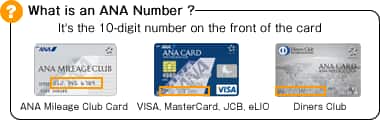 Your 10-digit ANA Number is needed to make online ticket reservations, calculate accrued mileage, sign up for discounts and special offers, and when contacting ANA SKY WEB for assistance. If you have an ANA (Credit) Card, please note that your ANA Number is different from that credit card number.
Your Password(PIN) can be changed at anytime through a 24-hour voice menu or through ANA SKY WEB. The change will take effect immediately, and you’ll need to enter the new Password(PIN) the next time you login.
Please do not share your Password(PIN) with others.
We strongly recommend that you change your Password(PIN) on regularly.
If you would like to get confirmation for your Password(PIN), click here
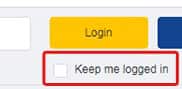
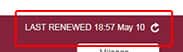 When a symbol is displayed on the Top Page as shown in the figure, access to basic information such as customer's reservation information, mileage information and member profile are available. End your session by closing all of your browsers or by clicking logout.