



Please refer to the procedures below when changing (transferring) to an ANA flight.
This page shows the procedures when using a smartphone. For the procedures when using a PC, please see here.
STEP1
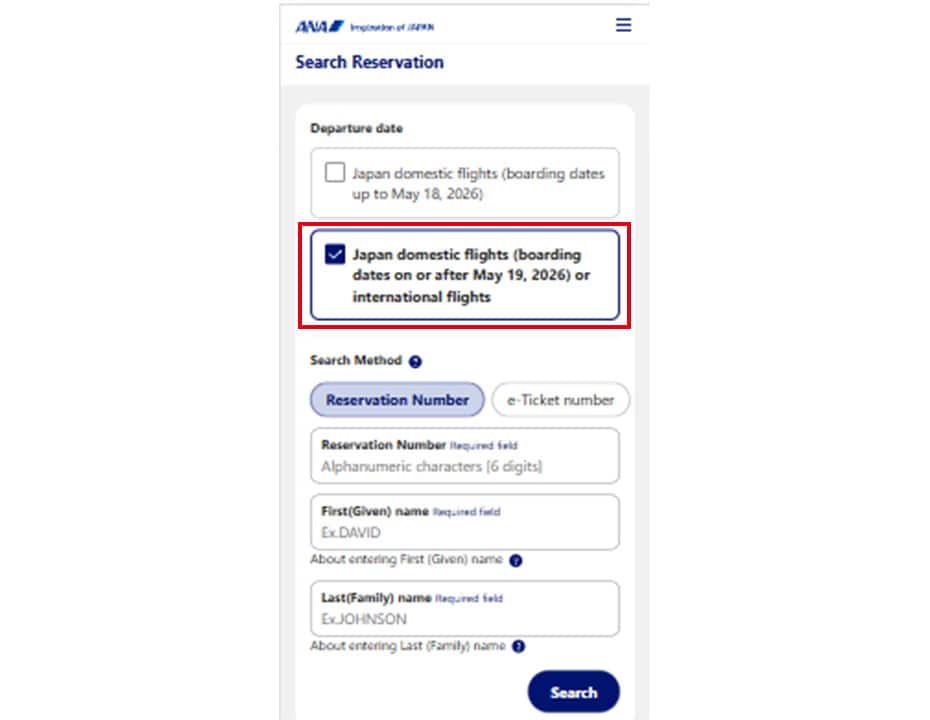
For domestic flights within Japan (for flights departing on or after May 19, 2026), check the "Checkbox," enter your "Reservation Number, First Name, Last Name," and search for the reservation of the flight you wish to transfer to.
- * To confirm your reservation, first enter your reservation number (not including travel products) or log in to the ANA website and then complete the process.
STEP2
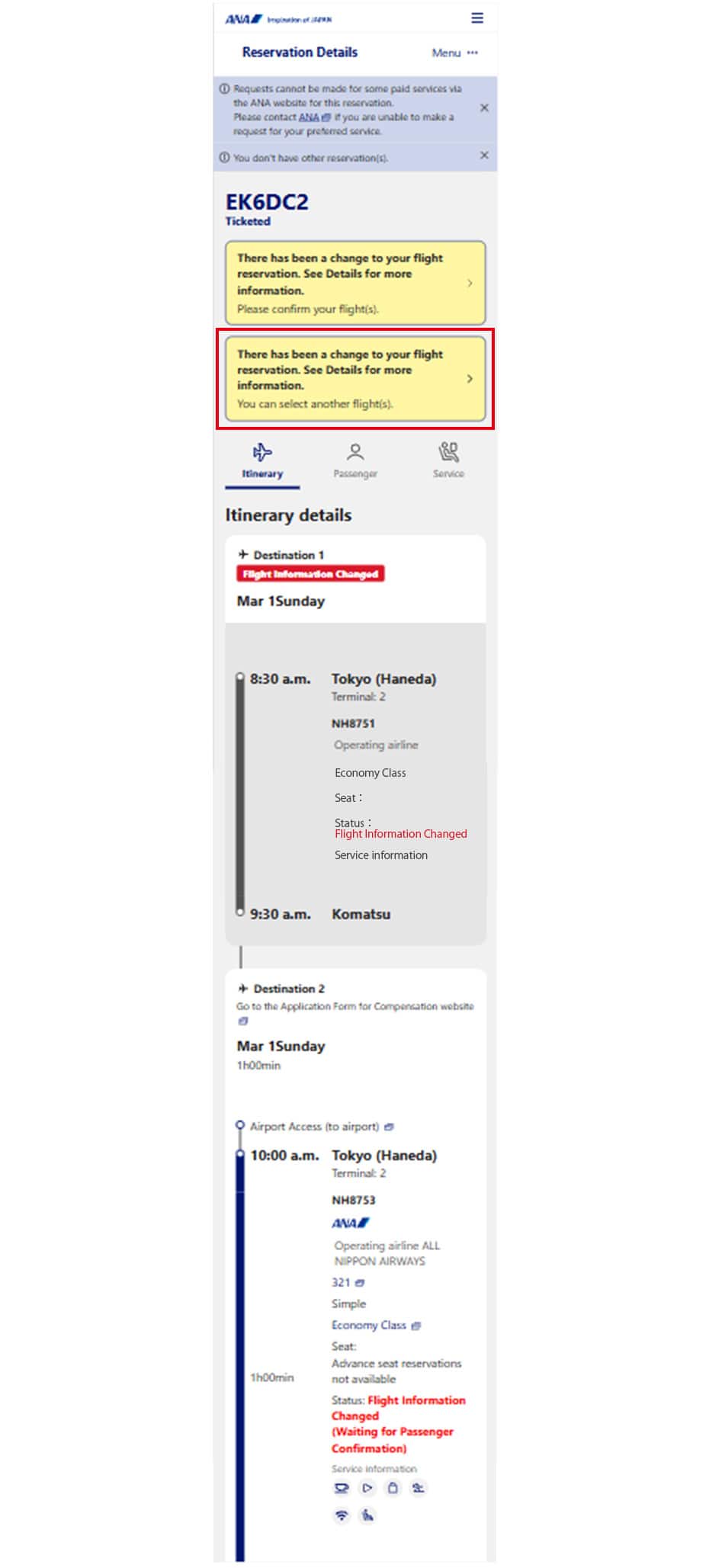
Changes have been made to your reserved flight. Please review the details. You can change to another flight. Select this option.
- * If an error code is shown, please contact ANA.
STEP3
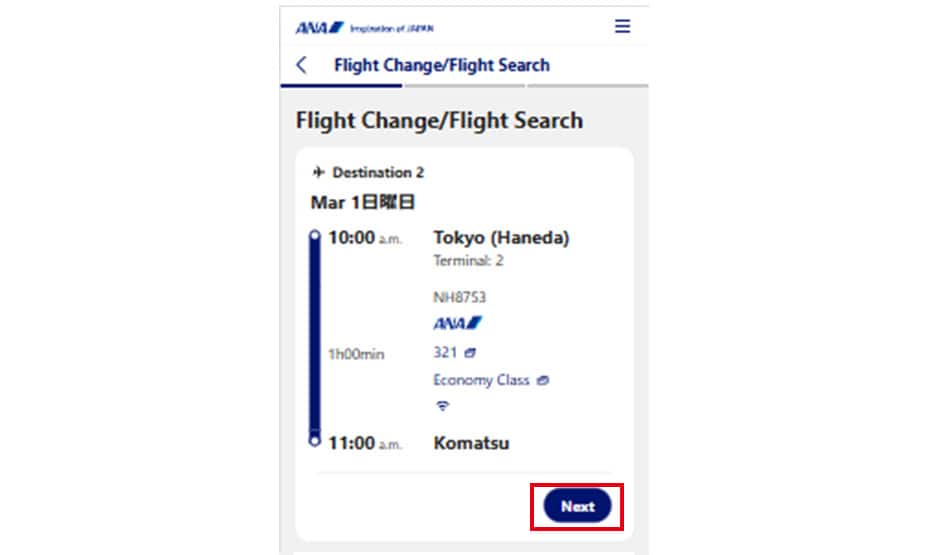
Please select the "Next" button for the itinerary you wish to change.
STEP4
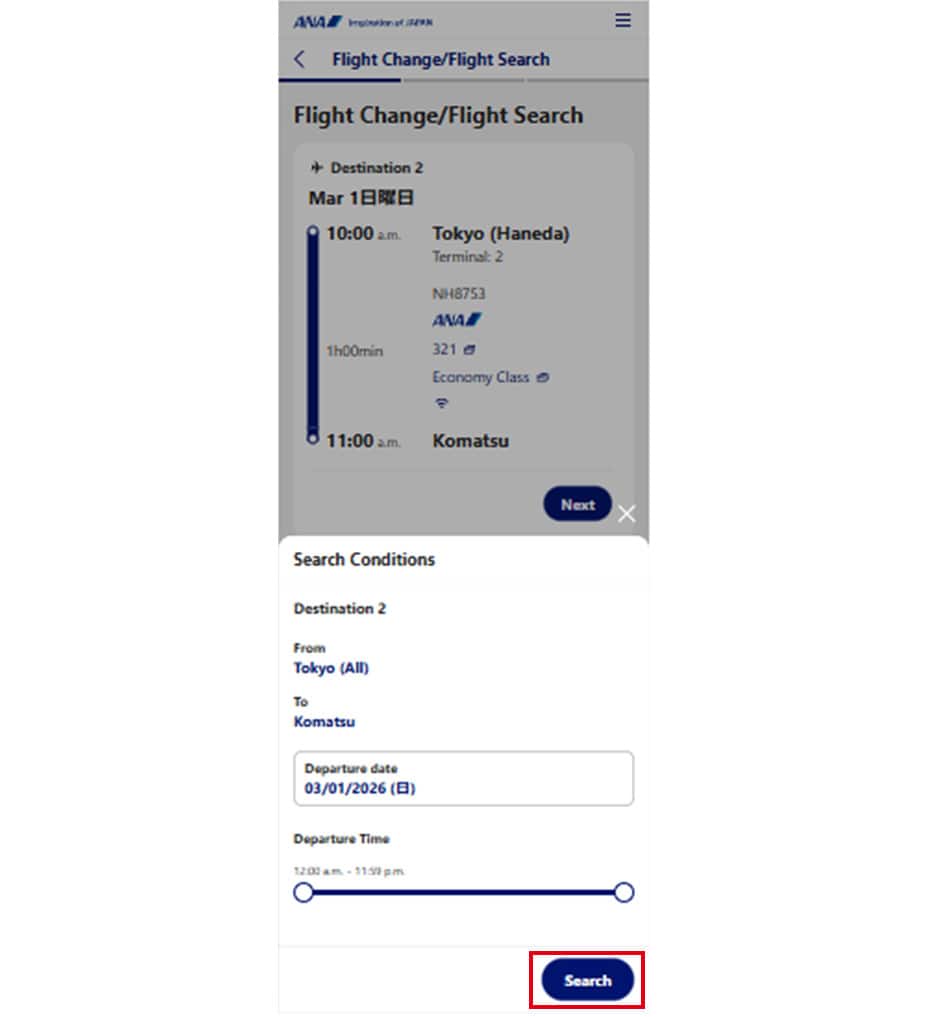
The search criteria screen will appear on the right. If you wish to change any criteria, select them and then click the "Search" button.
STEP5
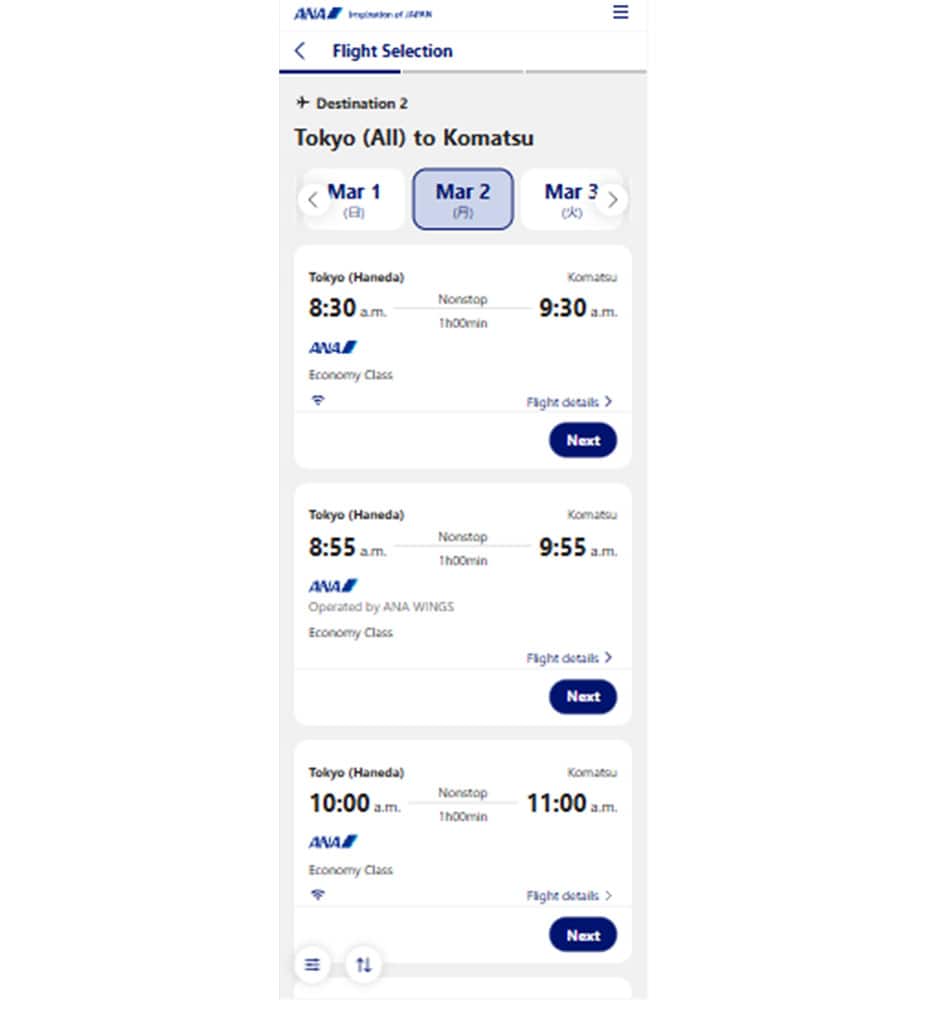
Please select a transfer destination from the flights that have seats available.
STEP6
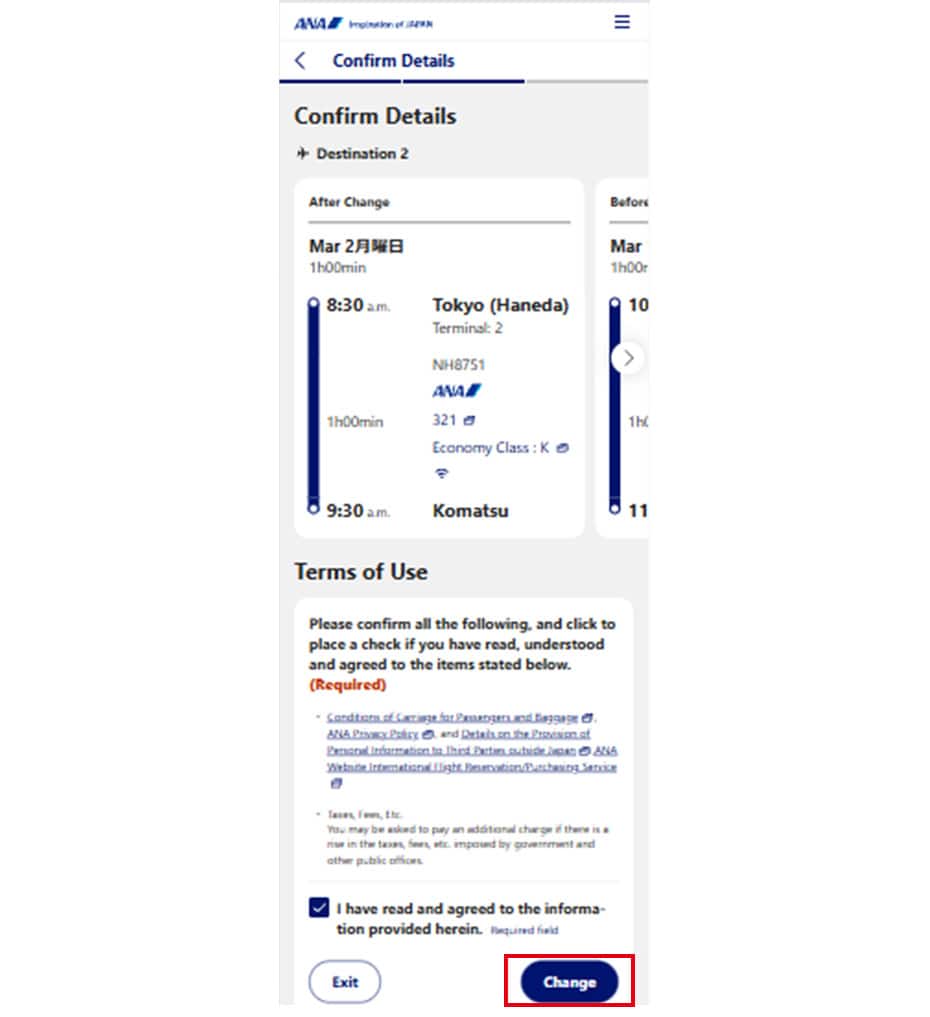
Confirm that your selected flight is displayed, check the "I have reviewed and agree to all terms." button, and select "Change."
STEP7

A dialog box for confirming the change procedure will be displayed. Click the OK button.
STEP8
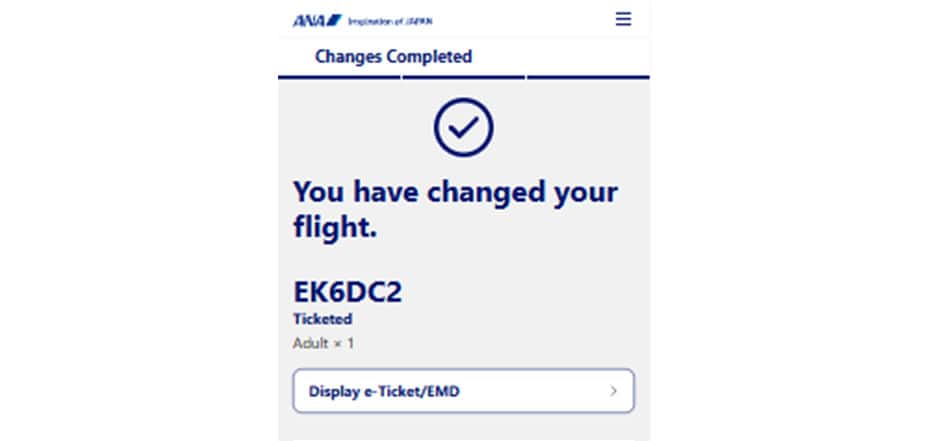
The flight change (transfer) is complete.