


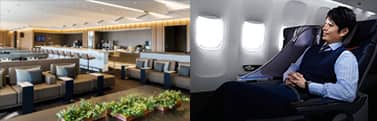
Overview
Terms and Conditions for Upgrade Reservations
Eligible Fares
Flex, Standard, Flex (For combination with INT Fare)
-
For tickets containing international flights,tickets must be purchased for the following eligible booking classes by itinerary origin.
Within Japan: Y/B/M/U
Outside Japan: Y/B/M/U/H
For details, please see How to Find Fare Basis Code (Booking Class).
Terms of Use
- All customers included in reservation must be upgraded.
- Upgrades are not available for flights operated by other airlines and if Premium Class seats are unavailable at the time of change operation.
Where to Request
-
ANA website
- For customers traveling with infants, upgrades cannot be requested via the ANA Website. Please contact the ANA Domestic Reservation and Customer Service Center.
- For customers with tickets including international flights who wish to pay by credit card, upgrades cannot be requested via the ANA Website. Please contact the airport on the day or at the ANA Reservation and Customer Service Center until 1hour prior to the departure time.
-
Japan domestic airport counters
- Only on the departure date
When to Request
-
From 24 hours prior to the departure until 20 minutes prior to the departure time
-
For Upgrades using miles or Upgrade Points, the conditions for when to request differ.
For details, please see ANA Domestic Upgrade Awards How to Apply.
-
For Upgrades using miles or Upgrade Points, the conditions for when to request differ.
Payment Methods
-
Credit Card
-
ANA Mileage Club Members can use miles and Upgrade Points (ANA Premium Members only).
However, the two methods cannot be used together.
For details, please see ANA Domestic Upgrade Awards Terms and Conditions.
-
ANA Mileage Club Members can use miles and Upgrade Points (ANA Premium Members only).
Payment Deadline
- Payment must be made at the same time the upgrade reservation is made.
Free Baggage Allowance and Mileage Accrual Rates after Upgrade
| Item | Flex | Standard | Flex (For combination with INT Fare) |
|---|---|---|---|
| Free Baggage Allowance | 32 kg / 3 bags | 32 kg / 3 bags | 32 kg / 3 bags |
| Mileage Accrual Rate | 150% | 130% | 150% |
- For upgrades using miles and Upgrade Points, the mileage accrual rate will be calculated based on the fare of the original ticket purchased.
-
Fares with international flights (Except for Flex (For combination with INT Fare))
Please refer to here for the free baggage allowance.
The mileage accrual rate will be calculated based on the class of the original ticket purchased plus 50%.
However, upgrades using miles and Upgrade Points are not eligible for the 50% addition.
Upgrade Waitlisting
-
Waitlisting is not available (including standby at the airport).
- Waitlist at the airport is available on the departure date when paying using miles/upgrade points. For details, please see ANA Domestic Upgrade Awards How to Apply.
Change and Cancellation Procedures after Upgrade
STEP1
Cancel the upgrade
(return to Economy Class)*1
-
*1.If there is no availability in the class prior to the upgrade (Economy Class), you will not be able to complete the procedure via the ANA website. Please contact the ANA Domestic Reservation and Customer Service Center.
STEP2
Change to the preferred flight
(Economy Class)
STEP3
Reserve an upgrade again
-
If there are changes to your departure date/flight, please cancel the upgrade and change to your desired flight.
Please request an upgrade again if you wish to upgrade your new flight. - Please complete the procedures 20 minutes before departure.
- Handling fees will not apply when canceling an upgrade.
Upgrade Fees
Upgrade fees vary by route.
Please see the upgrade fee tables for details.
In the case of Transfers (using connecting airports), upgrades are available by paying an upgrade fee for each sector.
-
Fares with First Class
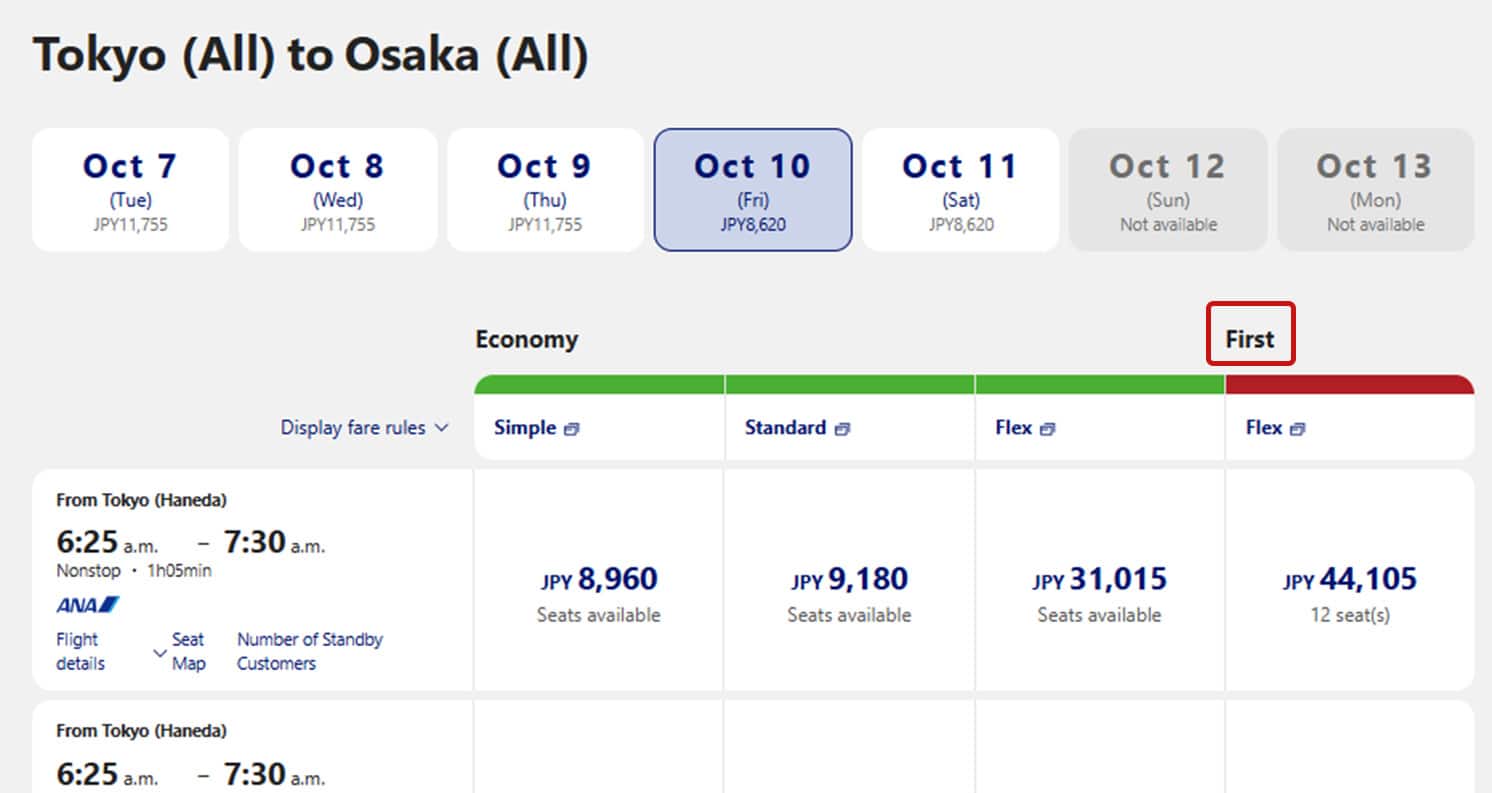
It may be cheaper to change your reservation from Economy Class to First Class (Premium Class). The conditions may vary depending on the ticket purchased. Please check the relevant information before making changes.
Notes
-
Please note that, due to aircraft changes or changes in the number of reservations, meals may not be available even if you have reserved them.
In such cases, staff at the airport will inform you on the day. Thank you for your understanding. - Please perform procedures for flight tickets purchased via ANA Biz on the ANA Biz website or the ANA website.
For customers who purchased tickets through a travel agency
- Customers who have upgraded to Premium Class will not be able to find their seat number on the e-Ticked Itinerary Receipt issued by the relevant travel agency.
-
If the ticket and the trip itself are canceled/refunded by the travel agency after the upgrade, the upgrade fees will not be refunded.
For refund procedures, please contact the ANA Domestic Reservation and Customer Service Center.
Class Descriptions on Reservation Search Page
- "Premium Class" is displayed as "First Class (Premium Class)" on the reservation search page for Japan domestic flights.
Upgrade Requests
To request an upgrade, go to Reservation Details.
