
- Please select the card you wish to join
-
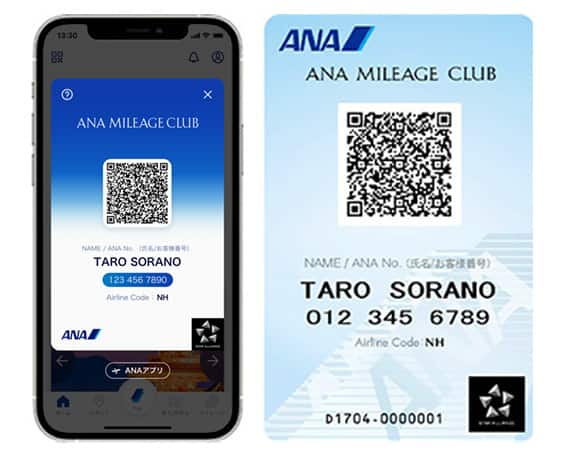
Get your digital card immediately
No enrollment or annual fees
ANA Mileage Club Card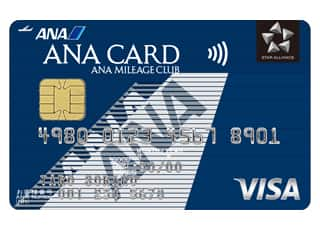
Earn more miles for your money
With credit function
ANA Card
Collect with an OSAIFU-KEITAI® (Digital Wallet) Device
Collection with an OSAIFU KEITAI Smartphone
- 1. ANA Website Top Page
-
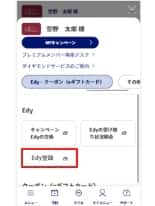
Log in to the ANA website, go to My Menu, select [Edy・クーポン(eギフトカード)] (available in Japanese only; meaning "Edy/Coupon (e-Gift Card)") and then [Edy登録] (available in Japanese only; meaning "Edy Registration").
- 2. NFC-related Services
-
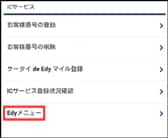
Proceed to the NFC-related Services page and select Rakuten Edy Menu.
If you had not logged in, you will be prompted to enter your 10-digit ANA Mileage Club membership number and password.
- 3. Verify ANA Mileage Club Membership Number and Rakuten Edy Number
-
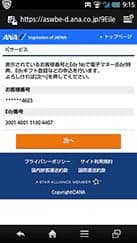
After verifying the last 4 digits of your ANA Mileage Club membership number and your Rakuten Edy number, tap Next.
- 4. Register for Promotional Edy Gifts
-
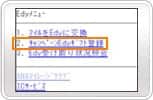
Select Register for Promotional Edy Gifts from the menu.
- 5. Select Promotional Edy Gifts
-
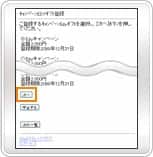
Select the relevant promotional Edy gift, then tap Next.
- 6. Confirm Registration Details
-
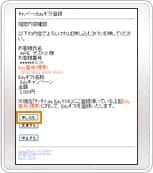
Confirm the registration details, then tap Apply. If you made a mistake with the selection, tap Change.
- 7. Confirm Registration Completion
-
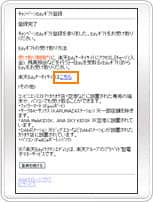
The registration is successful if the Registration Completed screen is displayed.
Please use the indicated link to go to the Rakuten Edy mobile website and follow the on-screen instructions to collect the Rakuten Edy within 60 days of the application date.
Points to Note When Using NFC or Rakuten Edy-related Services
-
Devices which will be used for NFC or Rakuten Edy-related services must have cookies enabled.
Please make sure to enable them before using the services.
-
Use the default web browser on devices which will be used for NFC or Rakuten Edy-related services.
Services may not be available if accessed with independently installed browsers.
Related Tags





Member Login
Information for Members Logging In
- Before proceeding to log in, please be sure to read and accept the section on the purpose of using personal information in the ANA Privacy Policy.
- Points to note when using your AMC account.
Auto-Login with Cookies
- However, you will need to re-enter your password as a form of verification when making reservations, requesting awards, registering/revising personal information, and using other members-only functions.
-
The confirmation screen will reappear after closing all browser windows even if you checked "Do not show this screen again."
Entry of One-Time Password
If you have not received your one-time password
If you do not receive an email, please check your email receipt settings and then have it re-sent.
If you do not do anything on the screen for a certain amount of time, you will have to request another one-time password.
and then have it re-sent.
If you do not do anything on the screen for a certain amount of time, you will have to request another one-time password.
Select your desired destination email address.
Do you really want to log out?
- If you click "Log Out," you will be logged out even if you have selected "Save Login Status."
- Close all open browser windows if you want to quit your session without logging out.
-
The confirmation screen will reappear after closing all browser windows even if you checked "Do not show this screen again."

ANA Biz is a business travel arrangement service.

-
MILES
-
ANA SKY COINS
-
Premium Point / Point on ANA /
-
Reservations
-
MILES
-
MILES
-
Login
-
Support