
- Please select the card you wish to join
-
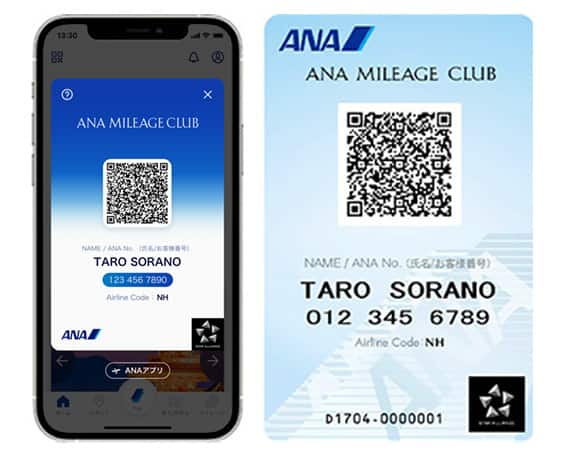
Get your digital card immediately
No enrollment or annual fees
ANA Mileage Club Card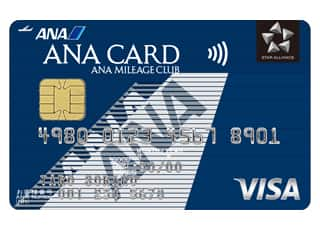
Earn more miles for your money
With credit function
ANA Card
How to Make a Payment Using the Multi-Function Copier at FamilyMart
This is how to make payments at convenience stores.
ANA Mileage Club Members
-
Press [代金支払い(コンビニでお支払い)] (Convenience Store Payment) on Multi-Function Copier screen.
-
Select [番号入力] (Go to Number Input Screen).
-
Enter you 10-digit ANA Mileage Club membership number and proceed to the next screen.
-
*
Leave out the hyphens. Example: 1234567890
-
*
-
Enter the required information and proceed to the next screen.
Enter the payment number (11 digits) you received upon reservation.
Example: 12345678910 -
Check the contents displayed on the screen, and proceed to the next screen to issue your payment slip.
-
Take the slip to the register within 30 minutes to make your payment. Please be sure to get a receipt.
Non-ANA Mileage Club Members
-
Press [代金支払い(コンビニでお支払い)] (Convenience Store Payment) on Multi-Function Copier screen.
-
Select [番号入力] (Go to Number Input Screen).
-
Enter the required information and proceed to the next screen.
Enter the airline (NH) and flight number (2-4 digits).
Example: All Nippon Airways, Flight 123, :NH123-
*
Departure date not required.
-
*
-
Enter the required information and proceed to the next screen.
Enter the payment number (11 digits) you received upon reservation.
Example: 12345678910 -
Check the contents displayed on the screen, and proceed to the next screen to issue your payment slip.
-
Take the slip to the register within 30 minutes to make your payment. Please be sure to get a receipt.





Member Login
Information for Members Logging In
- Before proceeding to log in, please be sure to read and accept the section on the purpose of using personal information in the ANA Privacy Policy.
- Points to note when using your AMC account.
Auto-Login with Cookies
- However, you will need to re-enter your password as a form of verification when making reservations, requesting awards, registering/revising personal information, and using other members-only functions.
-
The confirmation screen will reappear after closing all browser windows even if you checked "Do not show this screen again."
Entry of One-Time Password
If you have not received your one-time password
If your one-time password does not come through, please check your settings for receiving it and then re-send it.
If you do not do anything on the screen for a certain amount of time, you will have to request another one-time password.
Select your desired destination email address.
Do you really want to log out?
- If you click "Log Out," you will be logged out even if you have selected "Save Login Status."
- Close all open browser windows if you want to quit your session without logging out.
-
The confirmation screen will reappear after closing all browser windows even if you checked "Do not show this screen again."

ANA Biz is a business travel arrangement service.

-
MILES
-
ANA SKY COINS
-
Premium Point / Point on ANA /
-
Reservations
-
MILES
-
MILES
-
Login
-
Support